


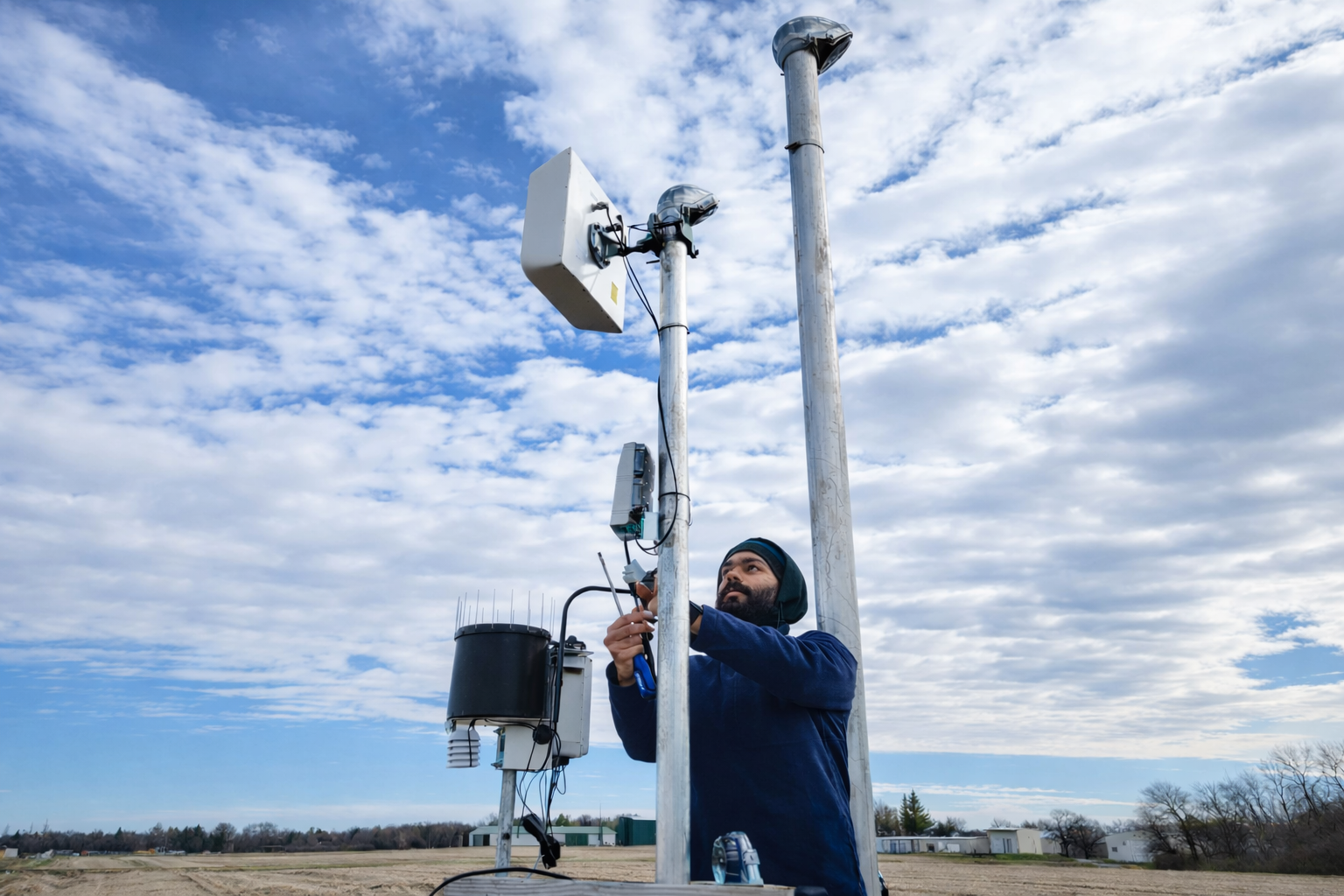
Finding reliable internet in remote areas can be challenging, and many people in rural locations struggle with limited options. Yet having a stable connection is crucial for work, education, and staying connected. This guide will help you navigate the complexities of choosing the best internet for remote areas, exploring various options and providing practical tips to ensure you make an informed decision.
Understanding the challenges of internet in remote locations
Internet access in remote areas presents unique challenges. These are often due to geographic barriers, infrastructure limitations, and limited service availability.
This isn’t a fringe issue. Nearly a quarter of rural adults, 24 percent, say access to high-speed internet is a major problem in their local community, according to the Pew Research Center.
Remote areas often face multiple hurdles to internet access. Here are a few common challenges:
- Geographic barriers like mountains or forests that hinder signal strength.
- Limited infrastructure, with few cables or cell towers.
- Fewer service providers leading to less competition and choice.
Understanding these challenges is important for finding solutions. Being aware of these factors helps in selecting the best internet provider.
Geographic barriers
Geographic features such as mountains and dense forests can block signals and complicate internet access.
Infrastructure limitations
Remote regions often lack adequate infrastructure, making it hard to establish fast and reliable connections.
Service availability
There are fewer service providers in remote areas, reducing choices and making service availability unpredictable.
Types of internet options for rural areas
Finding the right internet option for rural areas can be challenging. However, there are a variety of choices available to meet different needs. Here is a list of popular options:
- Satellite Internet: Offers wide coverage and is available nearly everywhere.
- Fixed Wireless Internet: Provides high-speed connections without needing cables.
- Mobile Hotspots: Ideal if you have good cellular coverage.
- DSL and Cable Internet: Available in select rural areas depending on infrastructure.
Each option has its advantages and limitations. Consider availability, speed, and cost before making a decision. Carefully evaluate each option based on your location and internet needs.
Satellite internet
Satellite internet covers a wide area, making it available in most remote locations despite potential weather impacts.
Fixed wireless internet
Fixed wireless internet does not require cables. It uses antennas to connect, offering reliable and fast service where available.
Mobile hotspots
A mobile hotspot can be a flexible solution. It leverages cellular networks to provide internet, suitable for areas with good cell coverage.
DSL and cable internet
DSL and cable internet are viable options in some rural areas but rely heavily on existing infrastructure. They may offer decent speeds where available.
Evaluating speed and reliability
Finding the best internet for remote areas means prioritizing speed and reliability. These factors directly impact your online experience. Various elements influence both speed and reliability in rural locations.
Not all internet types provide consistent speeds. Therefore, it’s important to evaluate the speed claims of each option. Also, consider the impact of local conditions on reliability, as this can vary greatly.
The gap is real, and in many places it’s widening. In 2024, speed-test data cited in an FCC broadband access report showed the urban-rural high-speed gap grew in 32 states, with Washington State seeing 68 percent of urban users reach at least 100/20 Mbps versus just 31 percent of rural users.
Here is what you should look at:
- Internet Speed: Check both download and upload rates.
- Reliability: Review service consistency and downtime reports.
- User Reviews: Gather feedback from other customers in your area.
Importance of high-speed internet for remote locations
High-speed internet is vital for remote locations. It enables efficient work, streaming, and communication both for private and commercial use.
How to measure internet speed
Measure internet speed by using online tools. These tools provide data on both download and upload speeds.
Factors affecting internet reliability
Internet reliability is affected by weather conditions and network congestion. Choose a provider known for maintaining consistent service.
Comparing providers and plans
The search for the best internet for remote areas involves comparing providers and their plans. With so many options, it’s crucial to know what to look for. This ensures you get the best value for your money while meeting your needs.
First, consider the plans available from local internet providers. Check if they offer packages tailored for remote living or remote operations for your firm. It’s important to review the offerings for compatibility with your requirements.
Key aspects to compare include:
- Cost: Evaluate monthly fees and additional charges. It is common to see high overhead costs for keeping the internet live in a remote area, as it may require a specialized team for companies and operations based there.
- Data Caps: Look for any data limitations imposed.
- Contract Terms: Understand the length and conditions.
Researching local internet providers
Seek out local internet providers that specialize in rural service. This can often lead to finding companies with better local support. Always search for options which do not require much support, even for the deployment or to keep the internet in good condition. The best alternative is to find a provider that offers a Zero-Touch network, meaning you do not need to manually intervene with the network to keep it live at all times.
Evaluating pricing and packages
Look closely at pricing and the packages offered. Consider the balance between cost and benefits to maximize value.
Customer reviews and recommendations
Customer reviews are invaluable. Gather experiences from users in similar circumstances. Their insights can guide you in making an informed decision.
Practical steps for getting internet in a remote area
Securing reliable internet for remote areas involves several practical steps. Start by reaching out to potential providers to check availability in your location. Understanding what options are viable can save you time and money.
Consider alternative technologies if conventional options are limited. Each step ensures a smoother process for establishing a dependable connection.
Here’s a quick checklist:
- Verify provider availability.
- Assess installation requirements.
- Explore emerging technologies.
Contacting providers for availability
Reach out to multiple providers. Confirm their service coverage in your area as this helps identify your viable options quickly.
Installation considerations
Discuss installation details with providers and be aware of potential costs and equipment needed.
Exploring alternative technologies
Consider options like satellite or emerging technologies like 5G. They might offer better coverage and speeds where traditional services lack.
About EdgeNectar
The challenges covered in this guide, poor geographic signal, thin infrastructure, few providers willing to serve a hard-to-reach site, are exactly what EdgeNectar’s private 5G platform was built to solve. EdgeNectar’s CompactOne 5G system is an all-in-one 5G core, radio, and network unit in a single ruggedized, IP67-rated enclosure, built to run in conditions from -40°F to +131°F where fiber and Wi-Fi were never realistic options to begin with.
At a remote mining and construction camp with no fiber and no reliable signal of any kind, CompactOne went live using satellite backhaul in under a day and now runs continuous vehicle and worker monitoring around the clock. That is the same “Zero-Touch network” this guide recommends looking for: the network is pre-provisioned before it ever ships, so it connects and keeps running without a dedicated on-site network team to install, monitor, or maintain it.
EdgeNectar is hardware-agnostic, so a deployment can run on infrastructure you already have or on hardware sourced specifically for your site, with a patented AI layer that keeps monitoring and optimizing the network on its own. Whether you’re evaluating providers for a remote worksite, a rural facility, or an off-grid operation, get in touch to see if a private 5G network is the right fit for your location.
Frequently asked questions about internet in remote areas
What is the best internet option for remote areas?
There is no single best option for every site. Satellite internet offers the widest coverage, fixed wireless works well where line-of-sight to a tower is available, mobile hotspots suit areas with good cellular coverage, and private 5G is best for sites that need dedicated, reliable capacity without depending on a third-party carrier network.
Is satellite internet reliable in remote areas?
Satellite internet is available in nearly any remote location, which makes it one of the most widely used options, but performance can be affected by weather conditions. It is often used as backhaul for other on-site networking equipment rather than as the only connection method.
Why is internet more expensive in remote areas?
Remote sites often carry higher overhead costs, including specialized installation and ongoing support, because fewer providers serve the area and maintaining a connection can require a dedicated team. A Zero-Touch network reduces this overhead by removing the need for manual, on-site network maintenance.
What is a Zero-Touch network?
A Zero-Touch network is pre-provisioned and configured before it arrives on site, so it connects and stays live without manual intervention. EdgeNectar’s CompactOne 5G system, for example, has gone live at remote sites using satellite backhaul in under a day, without a dedicated network team.
Sources